
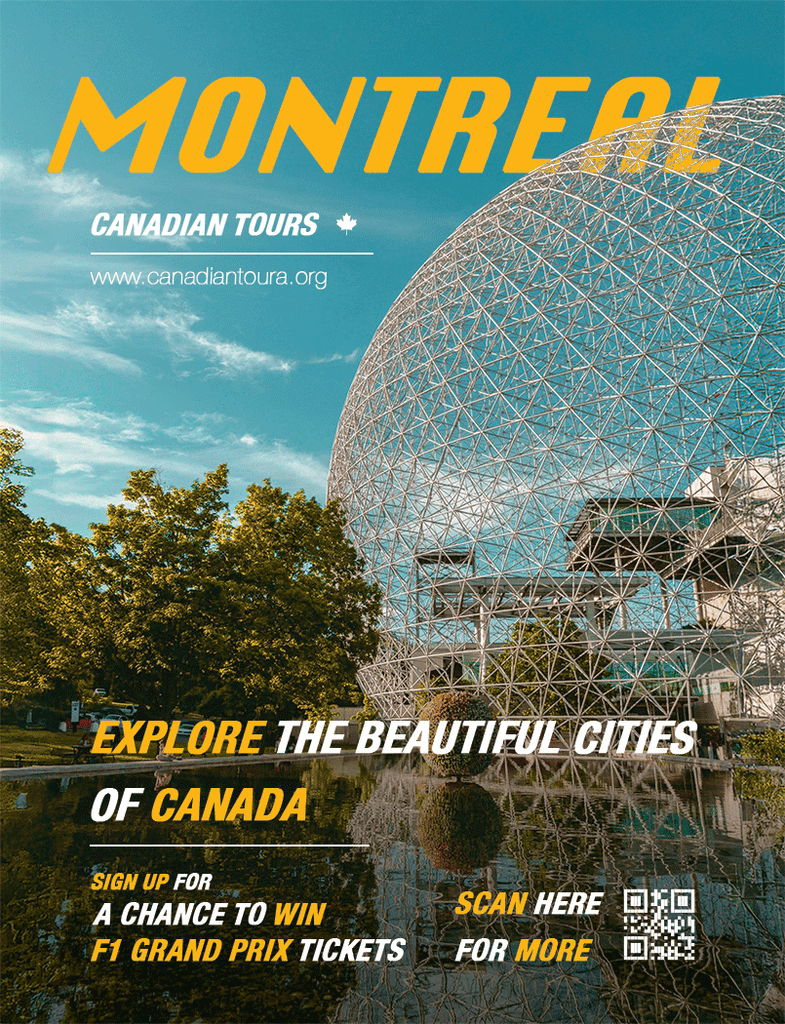
Before this project, I wanted to learn the right tools to be designing a magazine advertisement
I designed a magazine advertisement for a fictional company called “Canadian Tours” for my Digital Imaging class (first year, second semester).
The creative process focused on image editing, typography, and compositing techniques. These factors create an advertisement that captures an audience’s attention and encourage them to take action.
I used Adobe Photoshop as my main application to edit and compose. The original image features the Expo 67, a landmark in Montreal. However, the image did not completely fill the magazine cover’s area.
To solve this, I used Adobe Express’s generative fill feature to extend the image while preserving details. Going back to Photoshop, I adjusted the hue and saturation to create a warm and inviting atmosphere. This emphasizes the idea of visiting Montreal in the summertime.
To maintain a consistency of warmth, I used bold typography in combination of warm yellow and and white text. I applied a gradient on the bottom half of the cover to make the call-to-actions (CTA) stand out. To have audiences follow up on the CTA, I provided a QR code so viewers can interact immediately.
This project helped me strengthen my image editing and compositing skills in Photoshop. In addition, I also explored generative fill in Adobe Express and how it can be useful. The process of this project taught me how to refine a design based on its goals. That means ensuring that the imagery, typography, and CTAs work together to communicate a clear message.